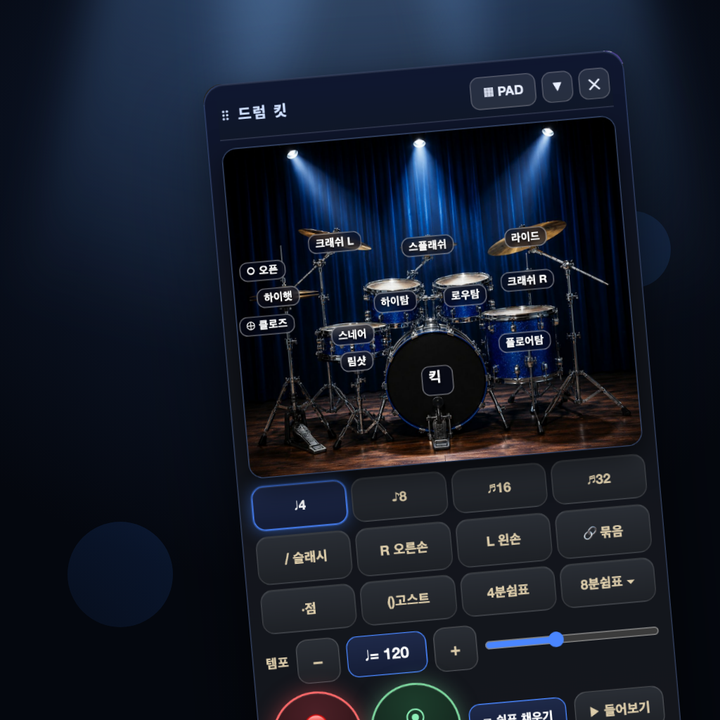
🥁 Drum Pack
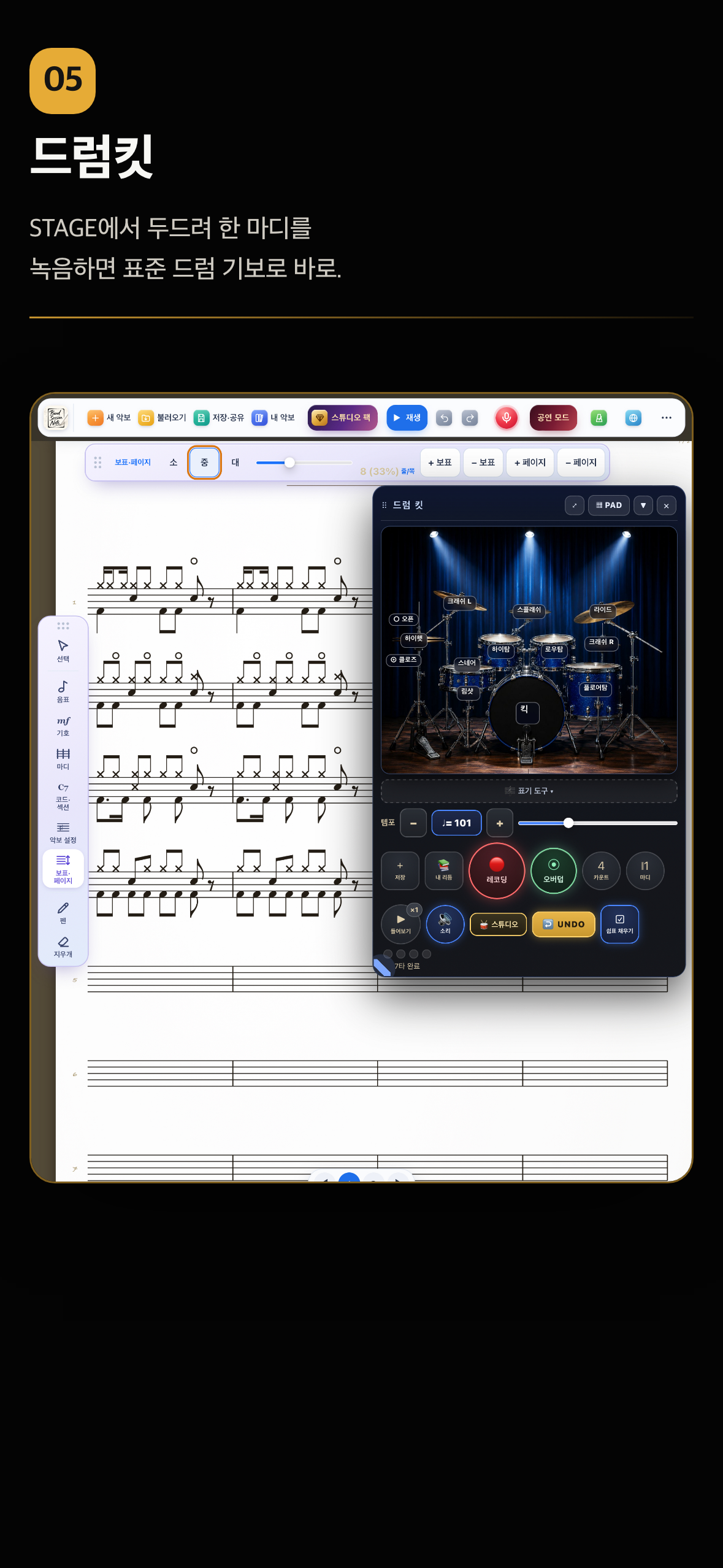
Tap the STAGE view or the drum pads to record one bar and it is written as standard drum notation. Overdub stacks hi-hat, snare and kick.
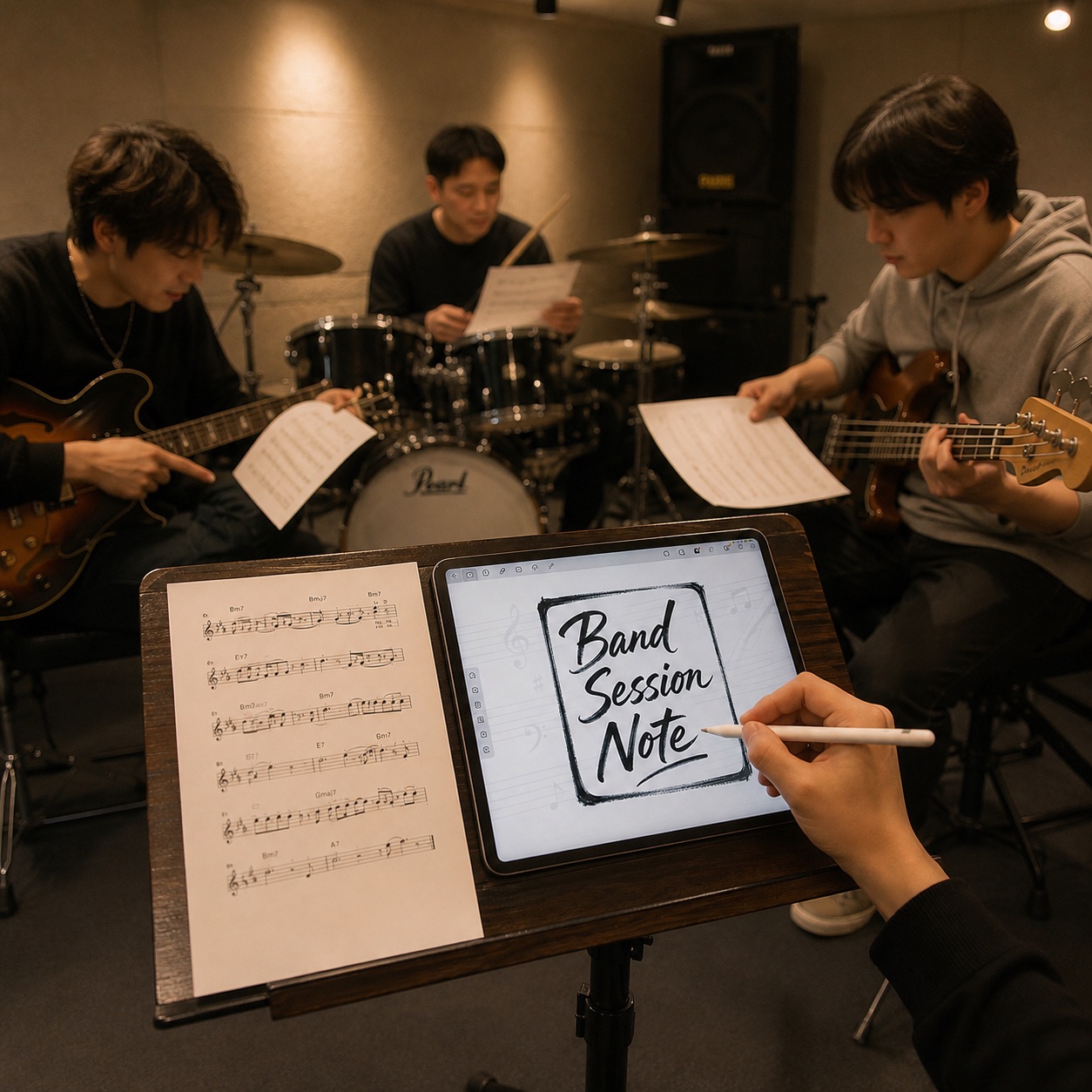
Draw real
sheet music.
Handwritten scores for bands, sessions and rehearsals. No heavy notation software — just write the idea down the moment it arrives.
Everything you need, in one app.
WRITE. REHEARSE. PERFORM.
Everything a band needs.
Write, rehearse and perform — smarter.
★ 5.0 App Store rating (Korea)
TRY IT NOW
Pick a note on the left and tap the staff to place it. Draw with the Pen, or tap Play at the top to hear it.
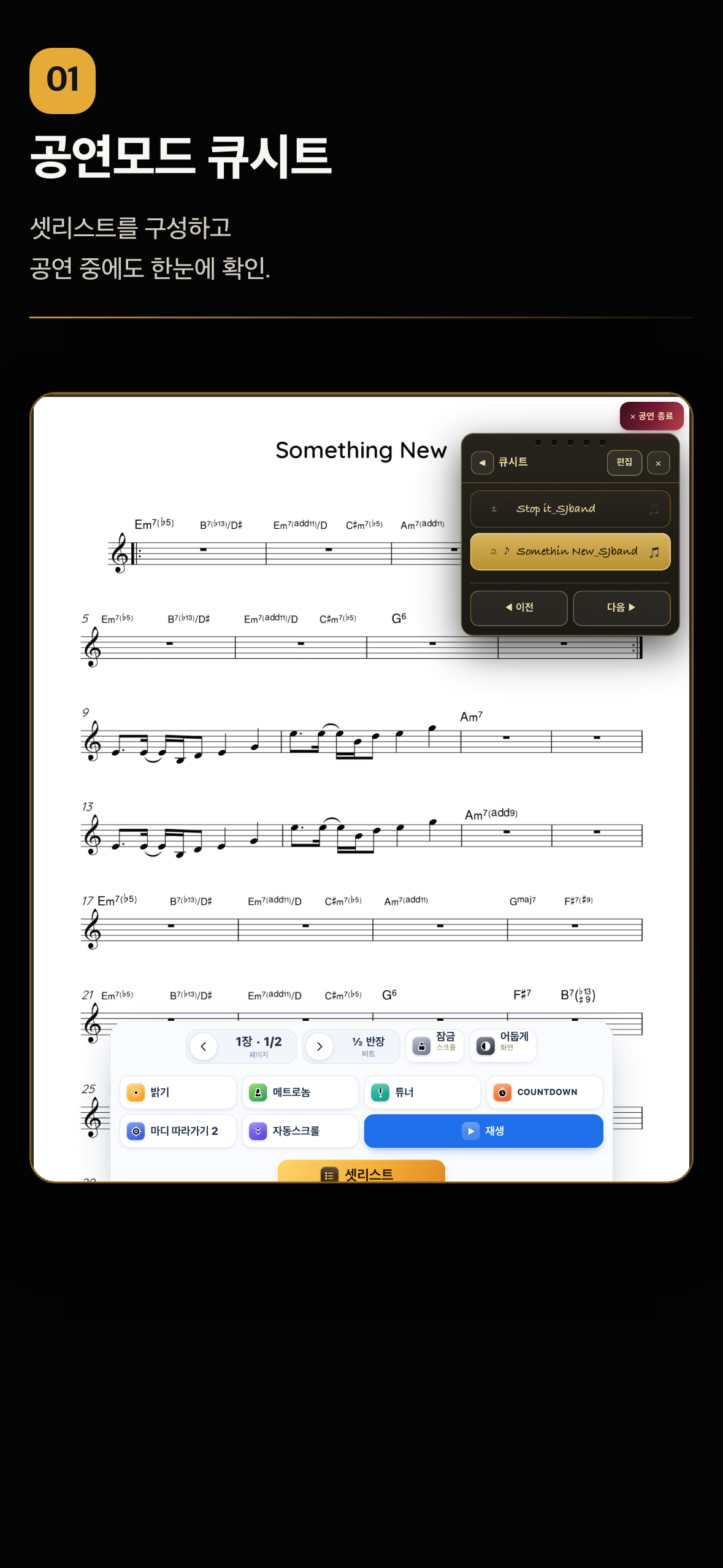
Build a setlist and keep it in view during the show.
Solfege stickers — characters, fonts, praise stamps and shape colors.
Read more about performance mode →
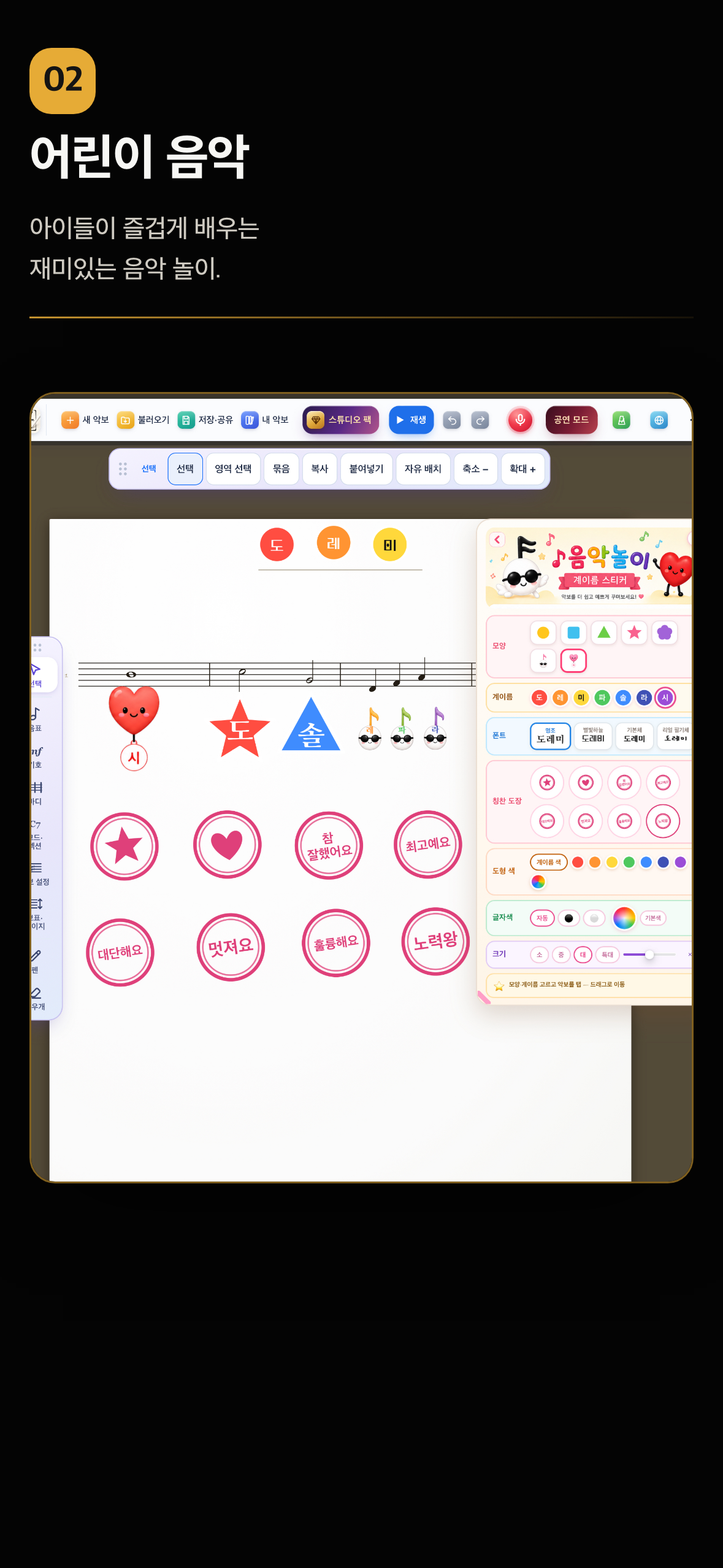
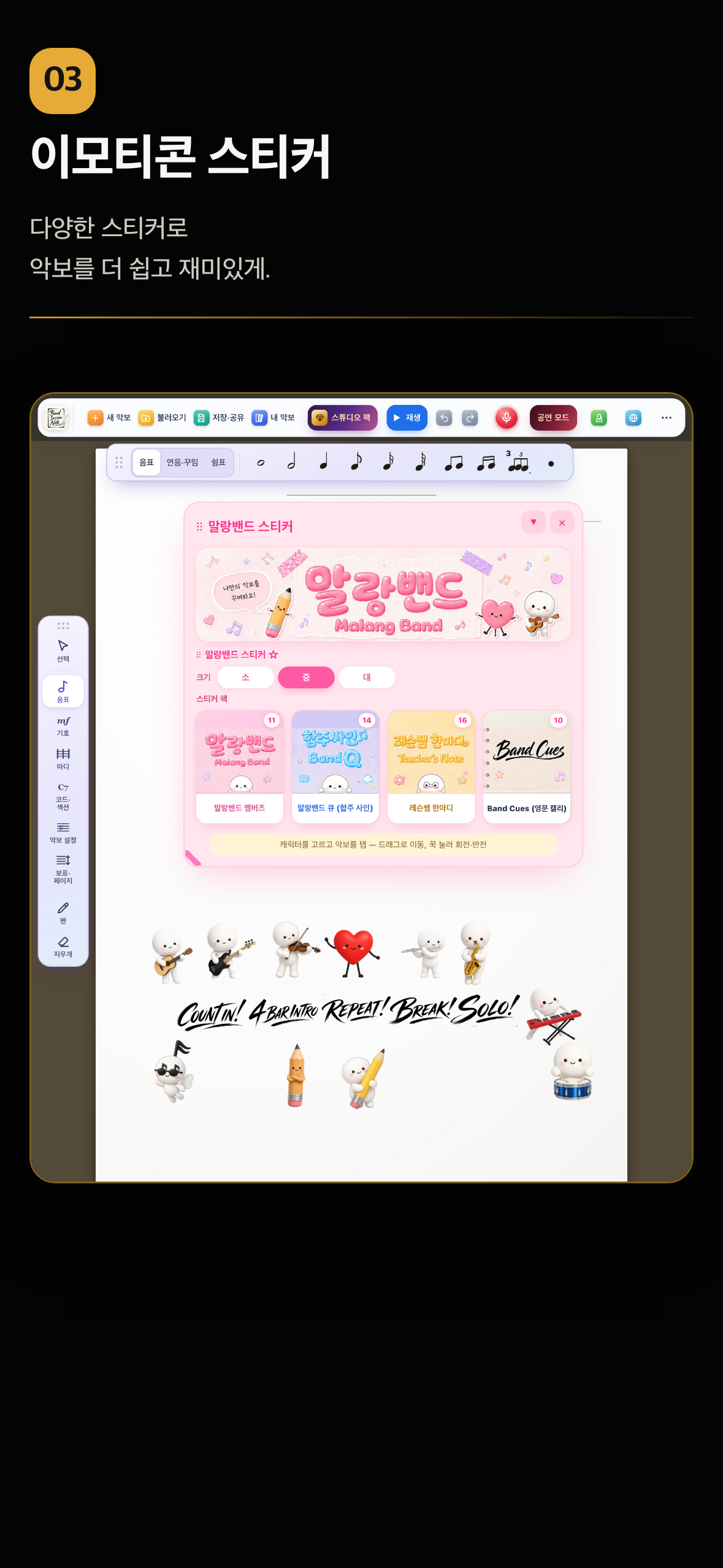
Character stickers that make a score easier to read — and more fun.
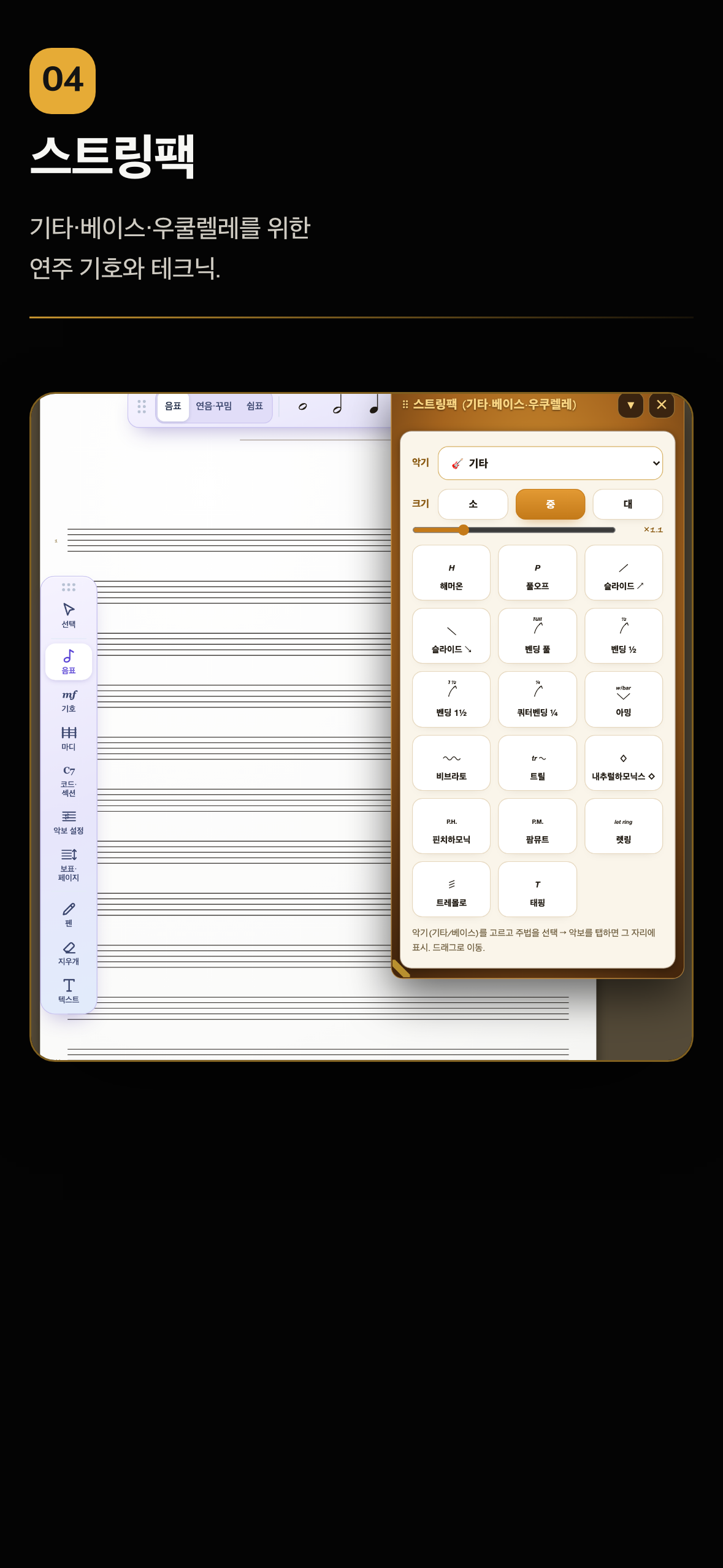
Playing marks and techniques, plus rhythm stems under the TAB numbers.
Tap on STAGE to record a bar — written as standard drum notation.
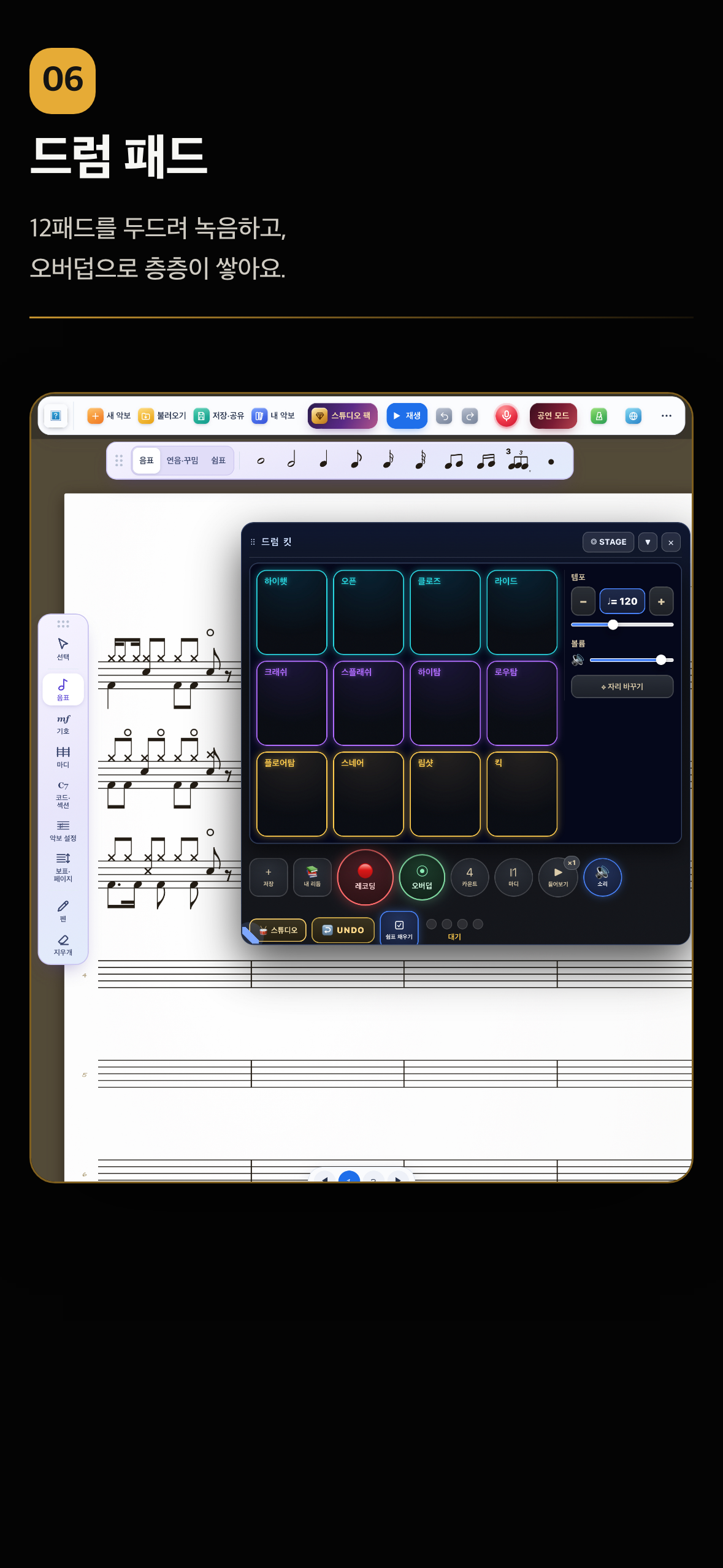
Tap the 12 pads to record, then overdub layer by layer.
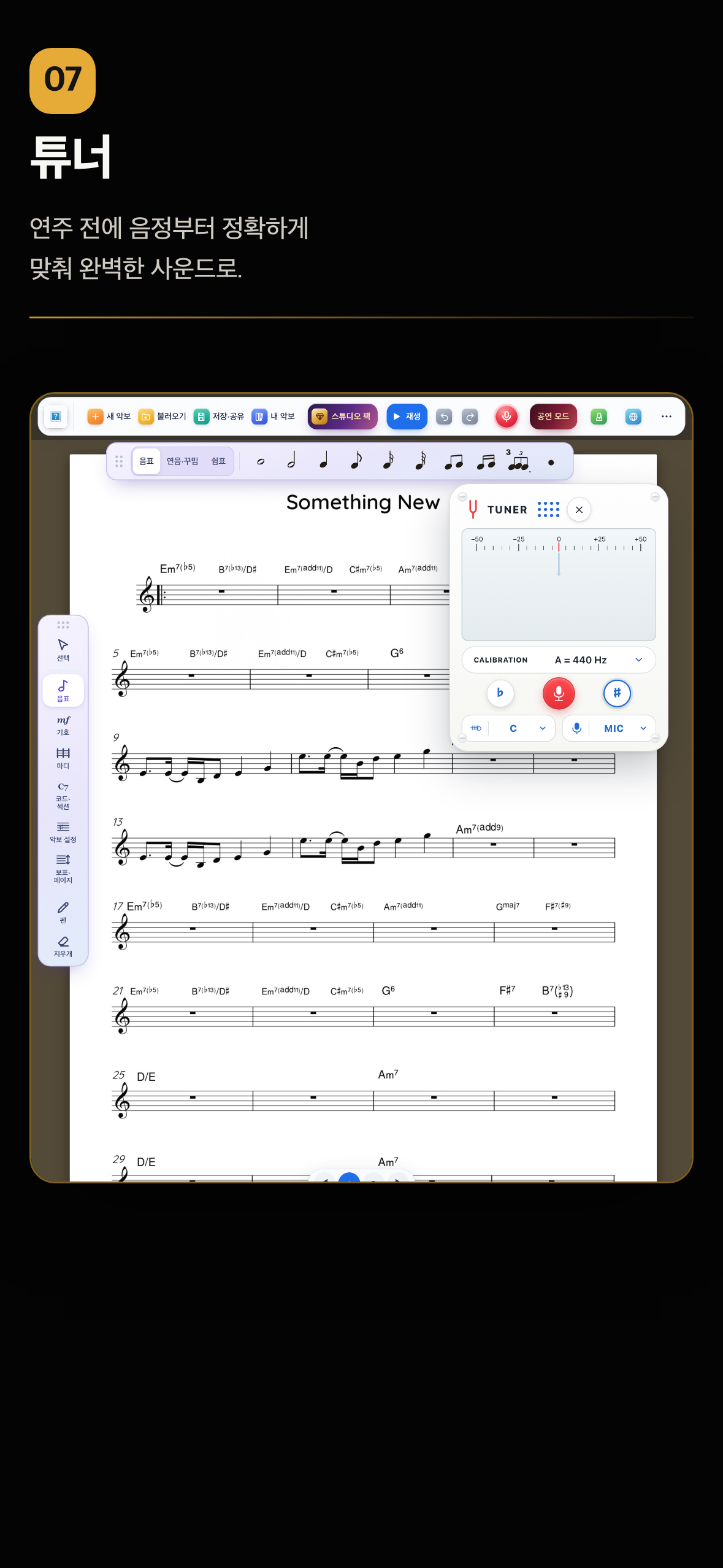
Get the pitch right before you play a note.
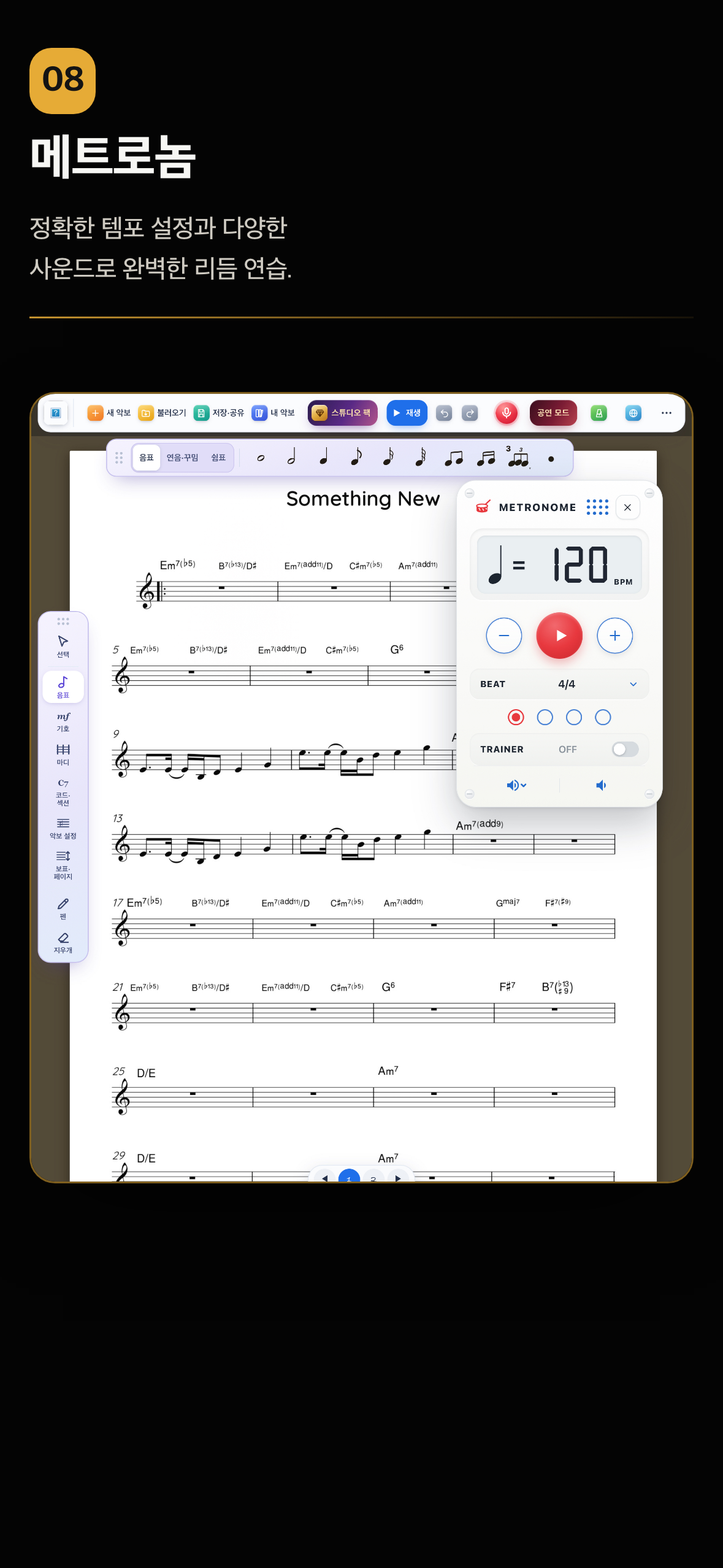
Precise tempo and a choice of click sounds.
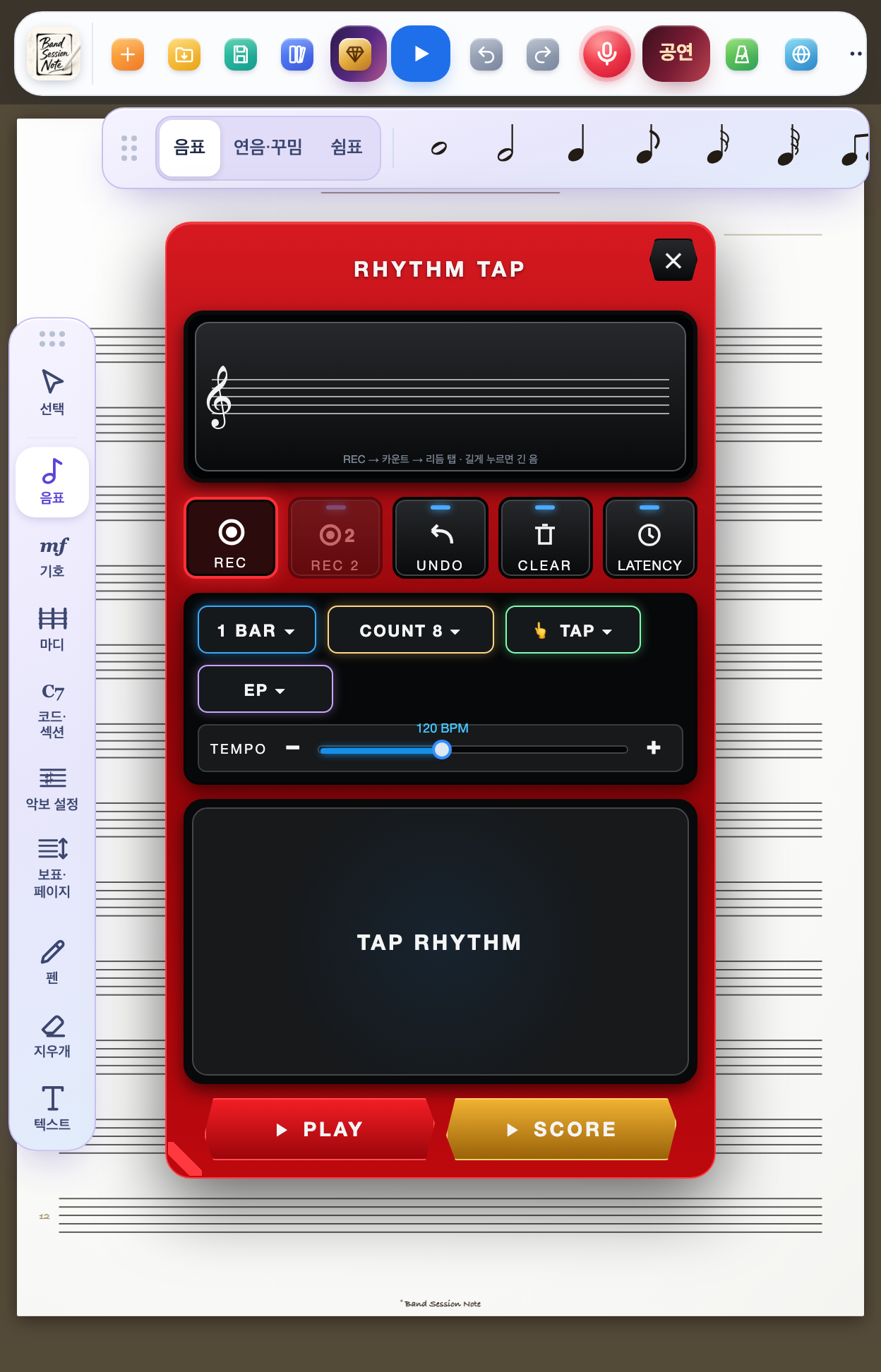
You do not need to read notes. Tap along with the metronome,
and that rhythm is written onto the score.
Characters, lesson feedback, practice marks and ensemble cues —
finish your score with Malang Band stickers.
The core stays as it is. Add the pack that matches your instrument from Studio inside the app.
Tap the STAGE view or the drum pads to record one bar and it is written as standard drum notation. Overdub stacks hi-hat, snare and kick.
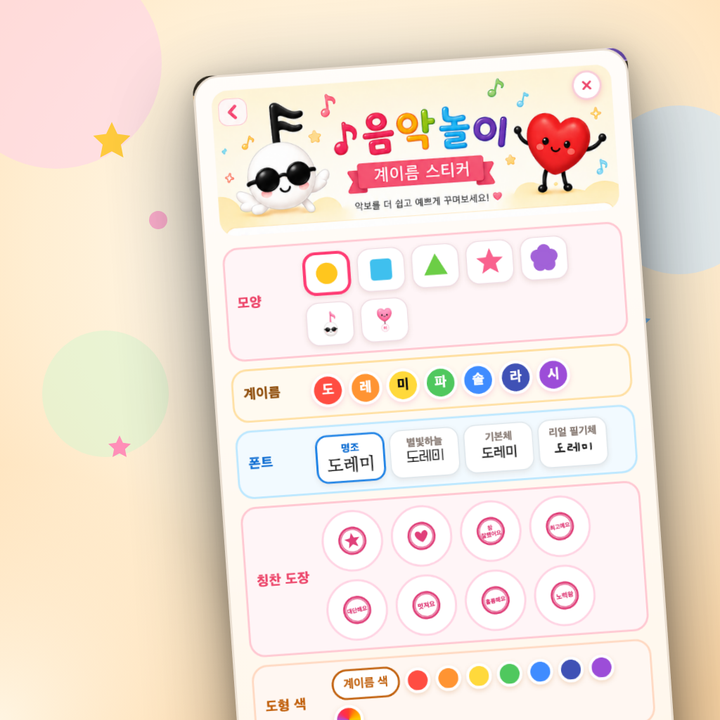
Solfege stickers: 7 shapes (two characters included), 4 fonts, 8 praise stamps, plus shape color and size.
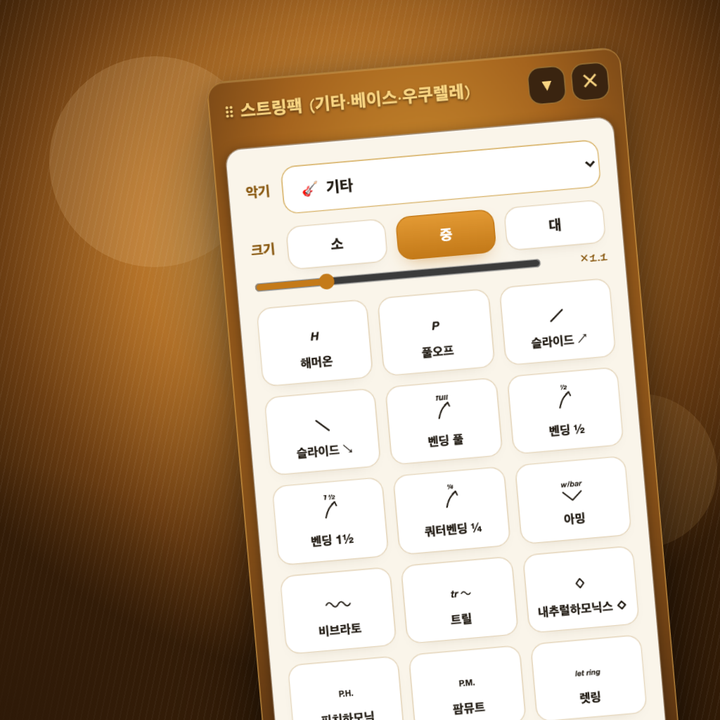
TAB for guitar, bass and ukulele with playing marks and chord charts — plus rhythm stems under the TAB numbers.
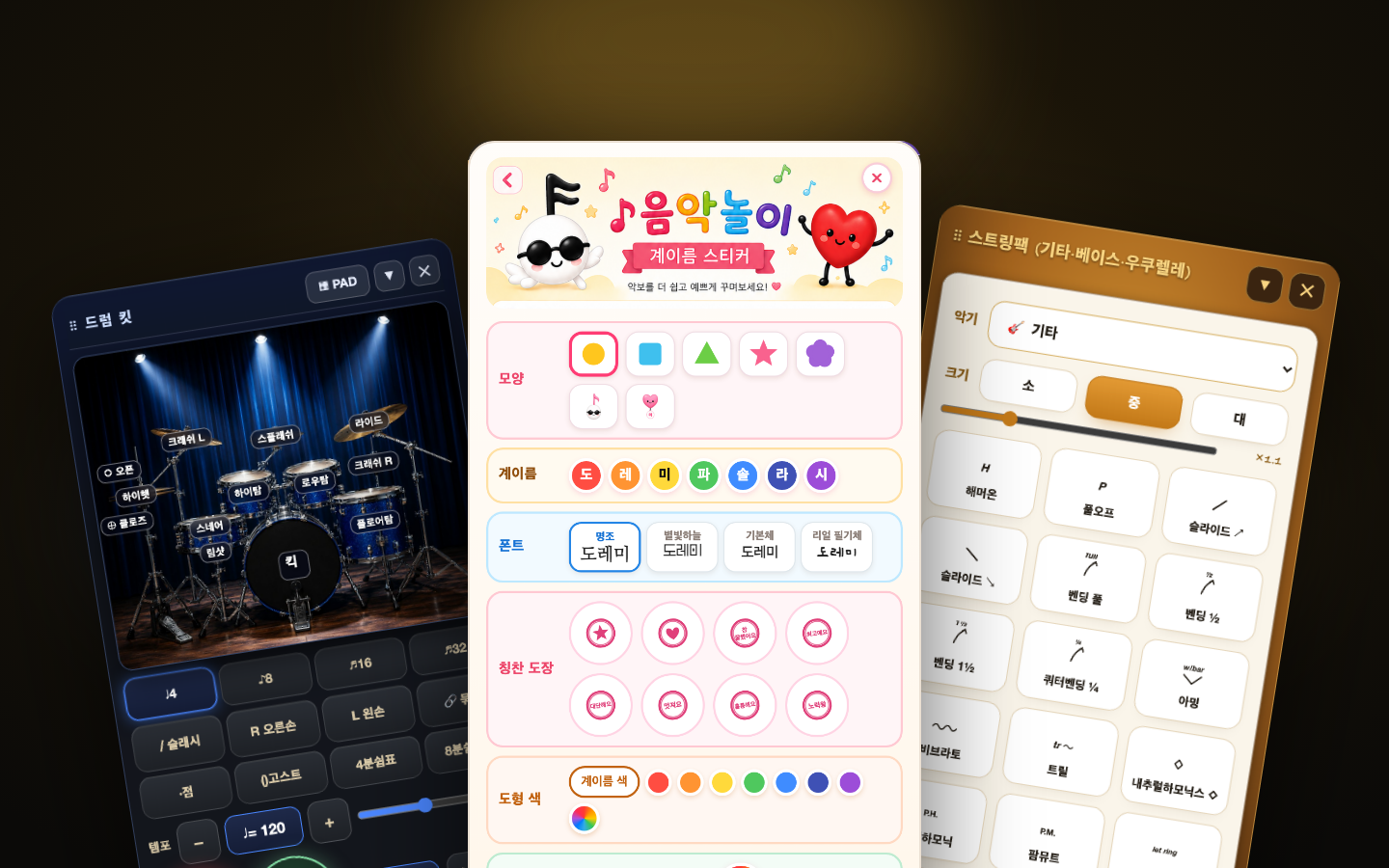
Drum, Kids Music Play and String in a single bundle. Find it in Studio inside the app.
v1.18 — Wind symbols · Write chords with the pen · Add bars
Wind symbols (fall, doit, scoop, turn, trill, vibrato), write chords with Apple Pencil, chord notation/size/font, add/delete bars, small accidentals, split beams with a stroke.
v1.17 — Playback bar · Key up/down · Color
Change sound, tempo and comping while listening, transpose by a semitone from the chosen bar with per-bar key signatures, place notes and symbols in your pen color, even barlines and tidy spacing.
v1.16 — Voice search · iPhone
Voice search works properly in the installed app; fixed the metronome and Performance mode going silent after it. On iPhone, large panels dock as a bottom sheet and the pen menu fits the screen.
v1.15 — Transpose a selection · Metronome with tuner
Area-select and a transpose bar appears below. Chord spellings, piano charts and guitar boxes change too, and the metronome and tuner can be open together.
v1.14 — New layout · Drum Pack
Top row, left tool rail, round pen menu, find & voice search. The Drum Pack compensates for audio delay so rhythms land in the right place.
Yes, it runs on iPhone. That said, the app is built around drawing on a large screen with Apple Pencil, so we recommend an iPad where possible. It also installs on Apple silicon (M-series) Macs.
No. You can draw with a finger or a third-party stylus. Pressure-sensitive brushes such as the SJ Pen feel best with an Apple Pencil.
This happened in early versions and has been fixed. Please update to the latest version on the App Store or Google Play. If you still see it, tell us your device model and app version through Support and we will look into it quickly.
The app is built to play sound even when your device is in silent mode. If you hear nothing, check the media volume in Control Centre. The tuner uses the microphone, so microphone permission for the app must be enabled in Settings.
Scores are stored on your device and auto-saved every 30 seconds while you work. Export a .bsn file from Save & Share to keep a backup — open that file on a new device and you carry on exactly where you left off. Always export a .bsn backup before switching devices or deleting the app.
No. With the same account you can download the app again at no cost, and purchases such as the Drum Pack or String Pack come back via Restore Purchases inside the app. Use the same option if a pack you bought appears locked.
Yes, the Android version is out. You can write handwritten scores on a Galaxy Tab with the S Pen. Get it on Google Play →
Make every rehearsal and every show smarter, in one app.
Optimised for iPad (iPhone & Galaxy Tab supported) · 한국어 English 日本語 中文 Português Deutsch