Turn tapped rhythms into music notation
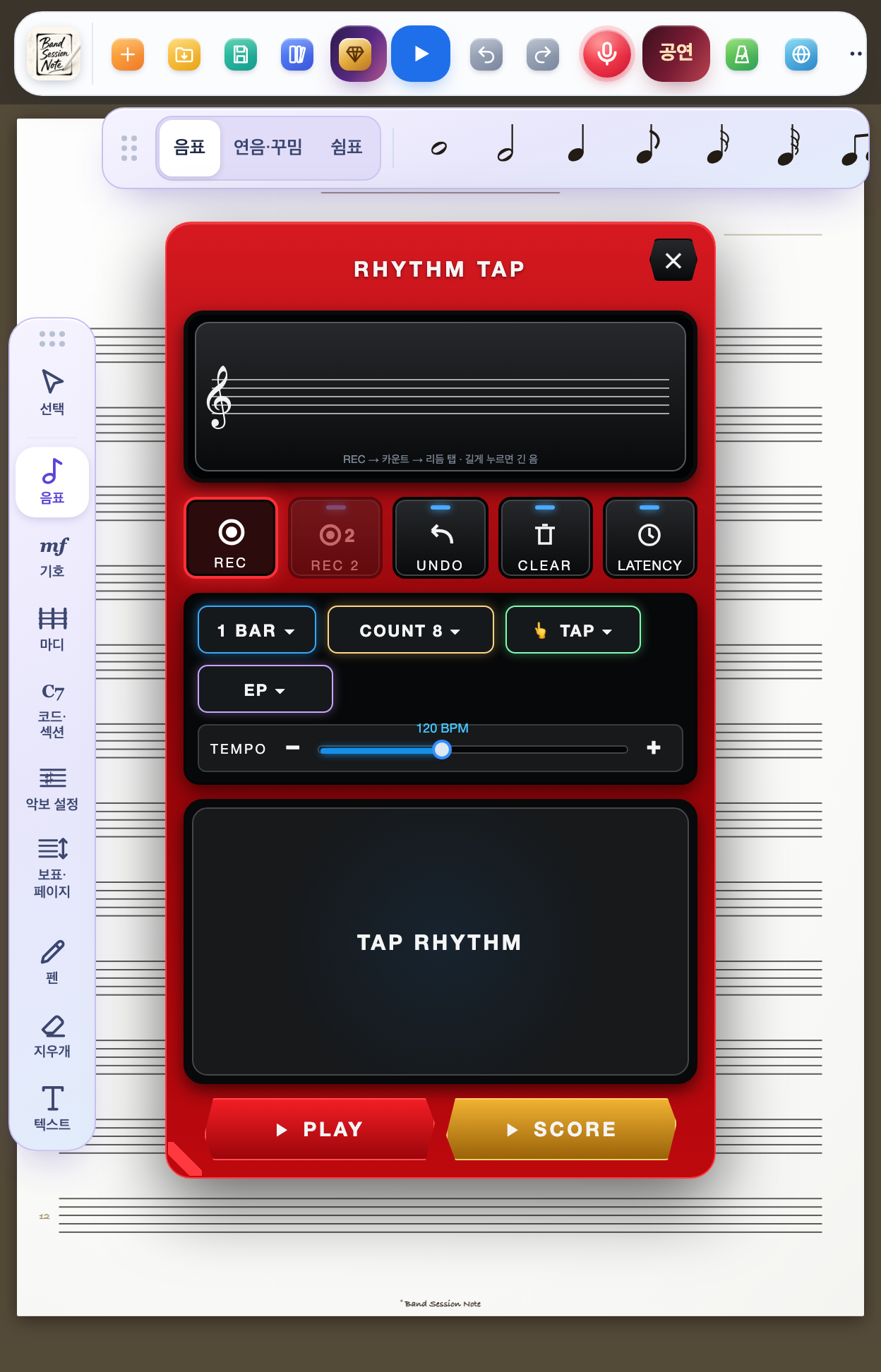
You do not need to read music. Tap the screen along with the metronome and that rhythm is written straight onto the score - the fastest way to get the rhythm in your head onto paper.
Band Session Note is built by a working saxophonist for real rehearsals and live shows.
Sound familiar?
- •The rhythm is clear in your head, but writing it down means guessing between eighths and dotted eighths.
- •You hum a riff into your phone during rehearsal and cannot decode it a week later.
- •You need to show the band a drum or bass pattern, but notation software takes hours to learn.
- •Most score apps make you pick every note value by hand, so rhythm is the slowest part to enter.
How BSN solves it
Rhythm Tap uses the tap itself as the input. The metronome counts you in; after that, the app snaps the timing and the length of every tap to the grid and writes notes and rests. A quick tap is a short note, a held tap is a long one. The result lands on the score immediately - drag the notes up or down for pitch and you have a melody.
Key features
- •Quick tap = short note, hold = long note - the time you hold becomes the note value.
- •Up to 2 bars in one take, and you can re-record just the second bar.
- •Count-in of 2, 4 or 8 beats, or start on your first tap.
- •Undo and continue from where you erased - no need to start over.
- •Latency calibration - measures your device's touch delay once and compensates.
- •Triplets are grouped automatically and gaps are filled with rests.
How to use it (5 steps)
- 1Tap Studio Pack at the top and choose Tap Rhythm. You can also tap the mic button and say “tap rhythm”.
- 2Set the metronome tempo and press REC. A large count-in number appears.
- 3After the count-in, tap the pad in rhythm. Hold for long notes.
- 4A notation preview appears below. Press PLAY to hear it, UNDO if something is off.
- 5Tap a bar on the score and the notes are placed there. Drag notes to set pitch.
Who it is for
- •Beginners who are still learning note values
- •Band players who want to capture a riff or fill mid-rehearsal
- •Teachers who teach rhythm by tapping it out with students
- •Session musicians who need to hand a drum or bass pattern to the band
Supported devices
iPad (optimized for Apple Pencil), iPhone, and Android tablets such as Galaxy Tab. Rhythm Tap works with a finger alone.
FAQ
Do I need to read music at all?+
No. All you need is the rhythm you tap. The app decides note values, rests and triplets - and you pick up note values naturally by watching the result.
What if my timing is a little off?+
That is fine. Taps snap to the nearest grid position (sixteenth notes). Start at a comfortable tempo rather than a fast one.
Does it capture pitch too?+
Rhythm Tap captures rhythm. Notes are placed on the middle line and you drag them to the pitch you want. For pitch as well, open a MIDI file with Import and it becomes a score.
Can I use it to write melodies?+
Yes. Tapping the rhythm first and then dragging notes into place is much faster than picking every note value from a palette.
Start with Band Session Note today
One-time purchase on the App Store (iPad and iPhone) or Google Play (Android)