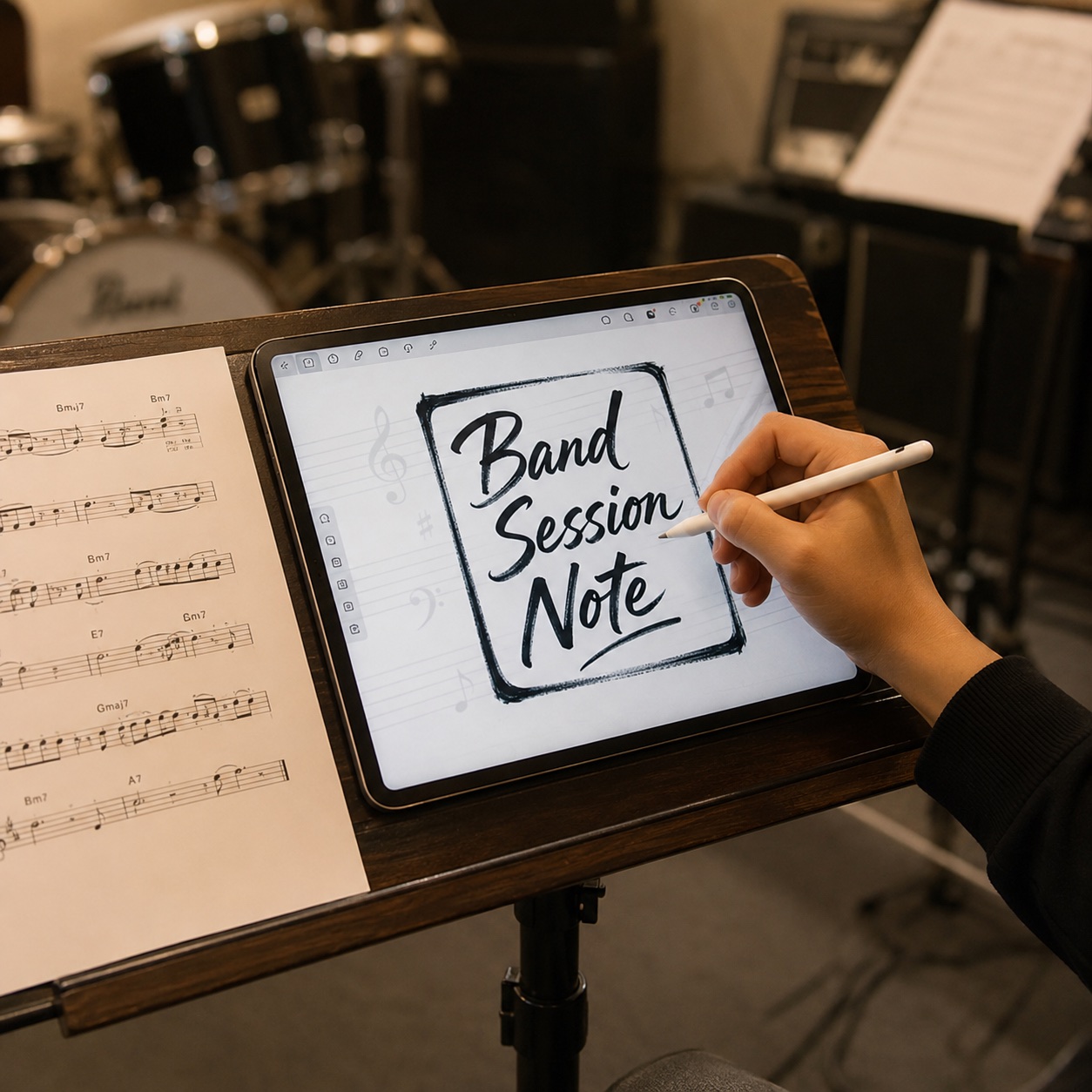
Ready to sketch?
Touch the iPad screen to begin
Touch the iPad screen to begin
Sketch real music with Apple Pencil
Band Session Note lets you draw sheet music by hand on iPad + Apple Pencil. Capture band sessions, rehearsals, and composing ideas with the same feel as scribbling on paper — instantly, without a heavy notation program.
12 keys
Key signatures · transposition
30+
Chord types (maj7 · m7♭5 · 7♯9 …)
6
Languages · matches device automatically
Zero
No ads · no data collection
Real charts, real hands
No templates. Lead sheets, jazz charts, and piano grand staves — all drawn by hand with Apple Pencil, all in this one app.
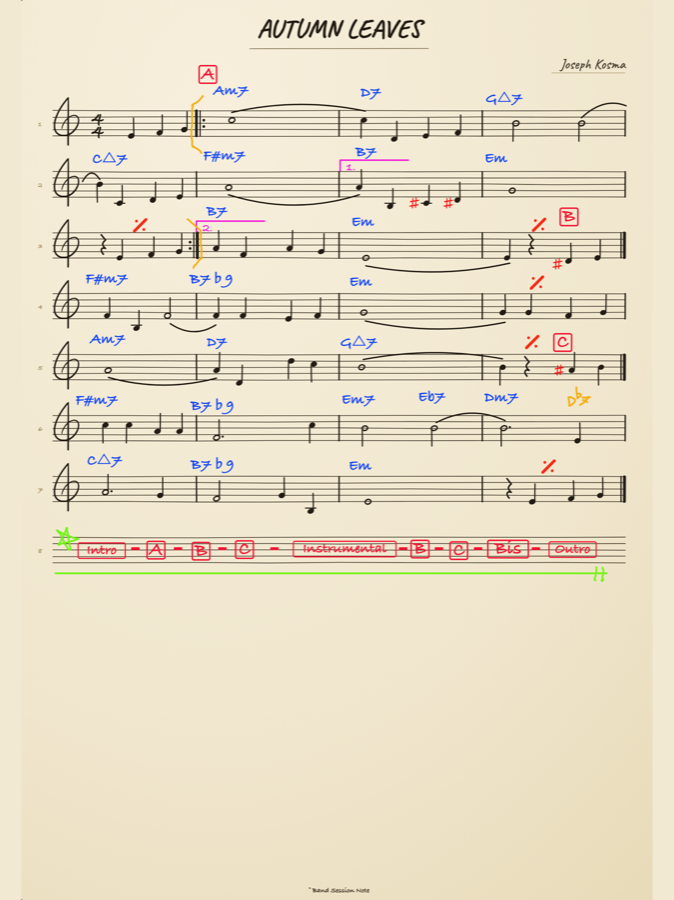
A finished lead sheet
Melody, chords, repeats, and a color form map — all on one page. Autumn Leaves
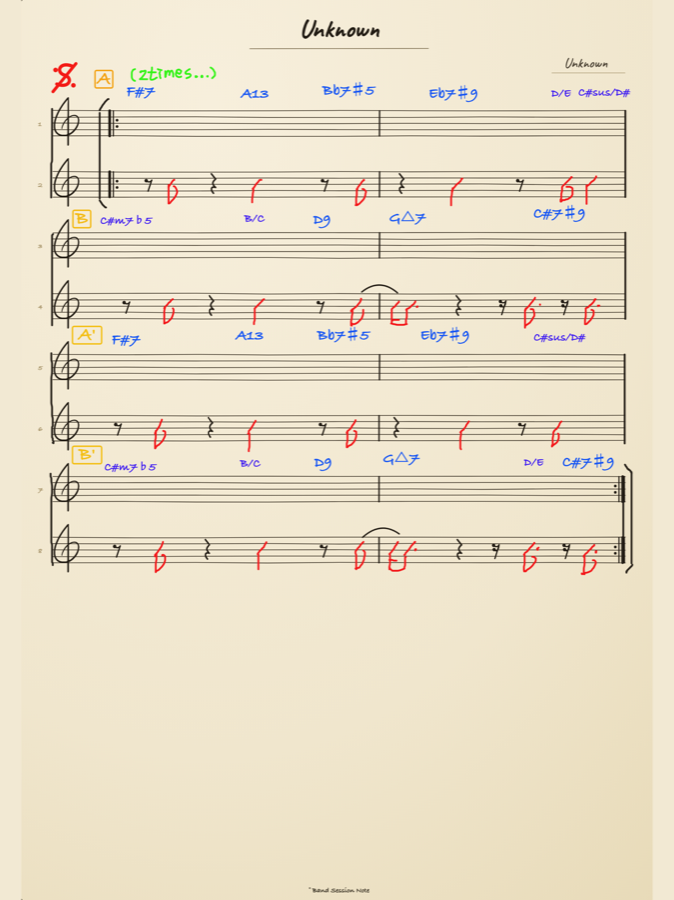
An advanced jazz chart
Tension chords like Bb7♯5 · Eb7♯9 · C♯7♯9, plus segno and repeats.
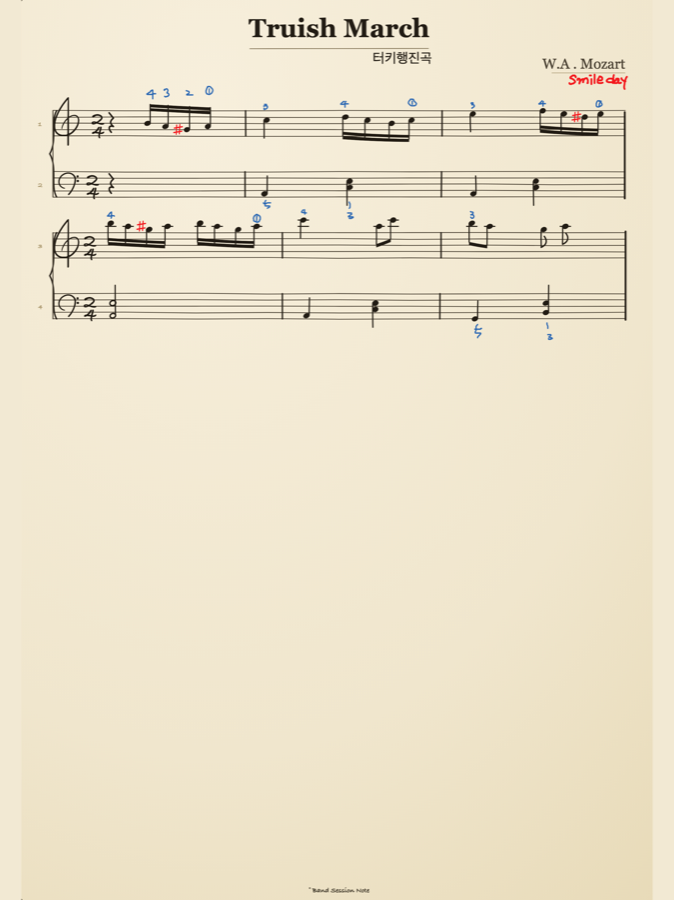
A piano grand staff
Grand staff, fingering, 2/4 time. From jazz to classical. Mozart
Everything you need
Not like a heavy, full-blown notation app. Capture it the moment it comes to you — but properly.
Natural strokes even when you write fast. Pause mid-stroke and hold to straighten it into a clean line automatically — and near-horizontal or near-vertical strokes snap perfectly.
maj7 · m7♭5 · 7♯9 · slash chords, sorted by category. 17 root notes, adjustable size.
Intro · Verse · Chorus · A · B · C, D.C./D.S./Coda, repeats. Built for bands and ensembles.
Grand staff and fingering, 4/4 · 3/4 · 2/4 · 6/8 time. Beams never cross the barline.
Black plus a full rainbow color wheel — save your favorite colors for quick access.
Save an image to Photos, share as PDF, or keep a score file (.json) to edit again later.
Two-finger tap = undo, three-finger tap = redo. Works right alongside the pen.
Korean, English, Japanese, Chinese, Portuguese, German. Matches your device language automatically.
How to use
Open a new score · draw with the pen · add chords · share. No complicated menus — just four steps, done.
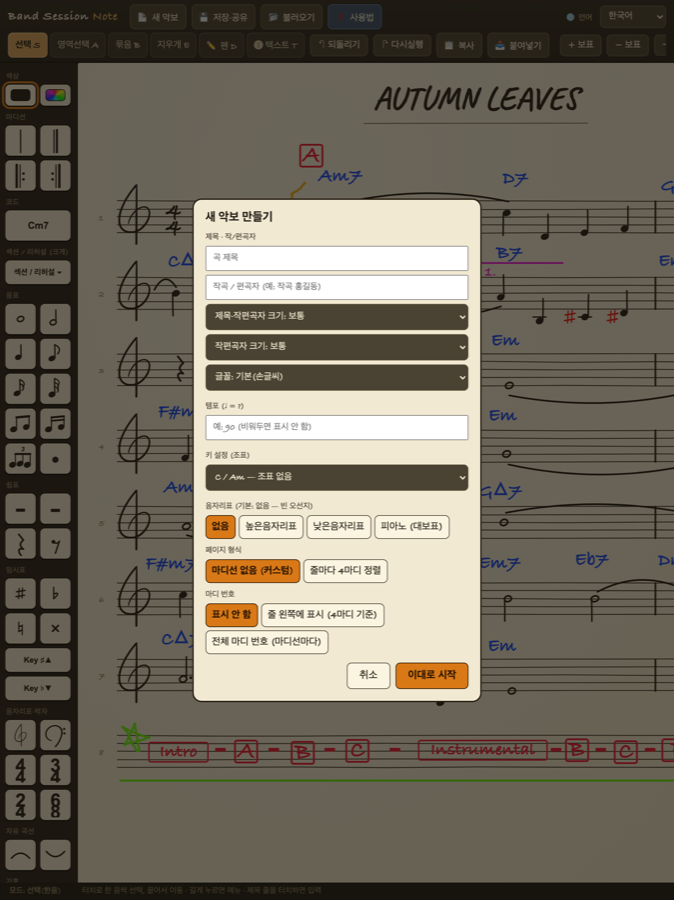
Start from a blank staff. Choose a single staff or piano grand staff, then set your key (12 keys) and time signature (4/4 · 3/4 · 2/4 · 6/8) up front.
Draw notes and melodies by hand with Apple Pencil. Fingers pan and zoom. Pause mid-stroke and hold to straighten it into a clean line automatically.
From the palette, add chords (maj7 · m7♭5 · 7♯9 · slash) and repeats or sections (Verse · Chorus · D.S. · Coda) with a single tap.
Save it as an image to Photos, share it as a PDF, or keep a score file (.json) so you can reopen and edit it later.
Clean straight lines
Pause and hold to straighten. Horizontal and vertical snap automatically.
Undo & redo
Two-finger tap = undo, three-finger tap = redo.
Color pens
Black plus a full rainbow color wheel. Save the colors you use most.
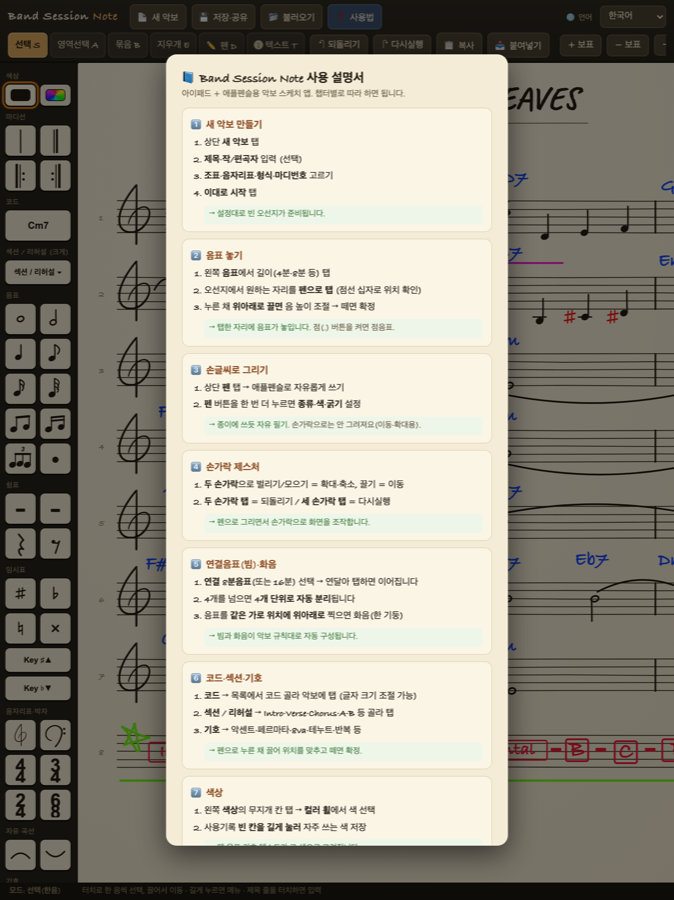
Help anytime
The in-app user guide is right there in all 6 languages.
Made for players
Session & ensemble players
When you need to jot down chords and changes on the spot.
Rehearsing bands
Sketch charts like notes and share them right away.
Composers
Capture melodies and chords the moment they come to you.
The freedom of paper + the ease of digital
For anyone who refuses to give up either one.
All you need is an iPad and Apple Pencil. Everything you make stays on your device, and no personal data is ever collected or sent.